Your shopping cart is empty!

Fast shipping
Ready stock
On time delivery
No delay
Best services
With low cost
Shopping Cart
0 item(s) - $0.00

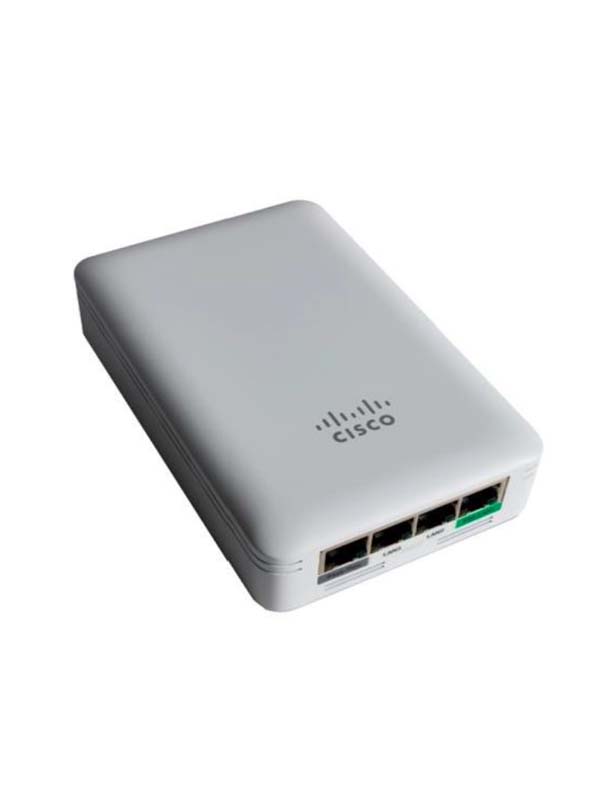
Cisco Business 145AC Access Point
CALL
Harga untuk FOB Jakarta, Indonesia
Hubungi kami disini untuk harga terbaik dan tambahan diskon
Hubungi kami disini untuk harga terbaik dan tambahan diskon
Qty:
The Cisco® Business 145AC Access Point is a compact, wall plate–mountable access point, ideal for in-room or office deployments requiring connectivity for both wired and wireless devices. Incorporating support for 802.11ac Wave 2 wireless standards and Gigabit Ethernet wired connectivity into a sleek device, the Cisco Business 145AC is built to take full advantage of in-wall cabling infrastructure while blending into the visual footprint. This combination provides deployment flexibility while offering best-in-class performance. By adhering to the 802.11ac Wave 2 standard, the Cisco Business 145AC Access Point delivers a data rate of up to 867 Mbps on its 5-GHz radio. This exceeds the data rates offered by access points that support the 802.11n standard. It also enables a total aggregate dual-radio data rate of up to 1 Gbps, providing the necessary foundation for small business and Managed Service Providers (MSPs) to stay ahead of the performance expectations and needs of their wireless users. In recent years, small businesses, enterprises, and managed service providers alike have increasingly preferred wireless access as the principal form of network connectivity. Along with this shift, there is an expectation that wireless should enable a high-performance experience. The Cisco Business 145AC Access Point delivers industry-leading performance with highly secure and reliable wireless connections, for a robust, mobile end-user experience.
About Amarta Store
We are the bigest online IT Equipment distributor in Asia. Headquarter in Jakarta - Indonesia, we are providing our customer with worldwide shipping coverage. So, wherever your location is, we are ready to support your needs with the best price.
| Access Point | |
| Wi-Fi Standards | 802.11 a/b/g/n/ac wave 2 |
| Radio | 2x2 MIMO |
| IEEE 802.3af (PoE) | Yes |
| Ethernet Interface | 4x 10/100/1000BASE-T LAN |
| Deployment Options | Controller-based or stand alone |
| Warranty | Limited Lifetime Hardware Warranty |
Write a review
Your Name:Your Review: Note: HTML is not translated!
Rating: Bad Good
Enter the code in the box below:



Customer Service
Extras
My Account
Contact Us
Amarta Store.
- Phone: +6221 74866068
- Fax: +6221 74866068
- Email: sales@amartastore.com
Amarta Store © 2023.