HARGA : CALL (klik disini untuk informasi harga lebih detil)
PRODUCT CODE : WGT20001-WW

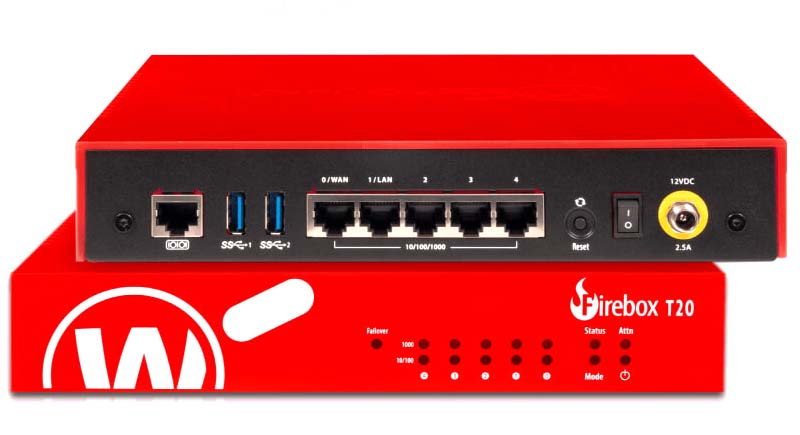
WatchGuard Firebox T20 is the entry point of WatchGuard’s Firebox table-top security appliances, and is aimed primarily at small and home office deployments. It could also be a sound choice for larger businesses wanting to protect remote sites, as it offers cloud management and zero-touch deployment. The latter is handled via WatchGuard’s RapidDeploy service: once you’ve register a new WatchGuard Firebox T20 appliance with your support account, you can assign it a configuration file created from a local Firebox appliance. When the appliance is plugged in at the remote site, it grabs the file from your account and instantly starts providing protection.
For management, you can either use the local web console or enable full cloud management on WatchGuard Firebox T20, which disables the local interface and provides remote access to all configuration settings. Whichever you choose, WatchGuard keeps the workload low with proactive protection: the ThreatSync service can collect and collate event data from multiple Firebox units, while DNSWatch blocks access to known malicious domains. The WatchGuard Firebox T20 doesn’t support the IntelligentAV scanner found on other Firebox models like the M590, however – it’s too demanding for this appliance’s dual-core CPU.
It's no secret that attackers go for the weakest link when trying to get into a corporate network, and this is often a home office or small office user. Firebox T20 gives you a powerful tool for administering and enforcing policy across your extended network, allowing you to bring full UTM protection to remote workers and smaller sites for tighter security. With WatchGuard Firebox T20 you can avoid sending your team to every location a device is needed. Our Cloud-based RapidDeploy technology allows you to create and store Firebox configuration data in the Cloud and have an appliance directly shipped to its destination. Once the WatchGuard Firebox T20 arrives, a user only needs to plug it in – RapidDeploy will automatically download and apply your pre-determined configuration.